How does PDF compression work? The SaferPDF difference
Ever wondered what happens inside a PDF compressor? We explain lossy vs lossless algorithms, image downsampling, and font subsetting — with diagrams and plain English.
Have you ever wondered how a PDF compressor works and manages to keep all of your file’s information intact whilst making it weigh less? If not, you are about to (you’re welcome!). In this blog post, we’ll share the ins-and-outs of PDF compression, so you can impress your in-laws at your next awkward dinner party. We’ll also explore what sets SaferPDF’s browser-side compressor apart from the competition, as the ultimately safest solution on the PDF market.
Understanding PDF compression
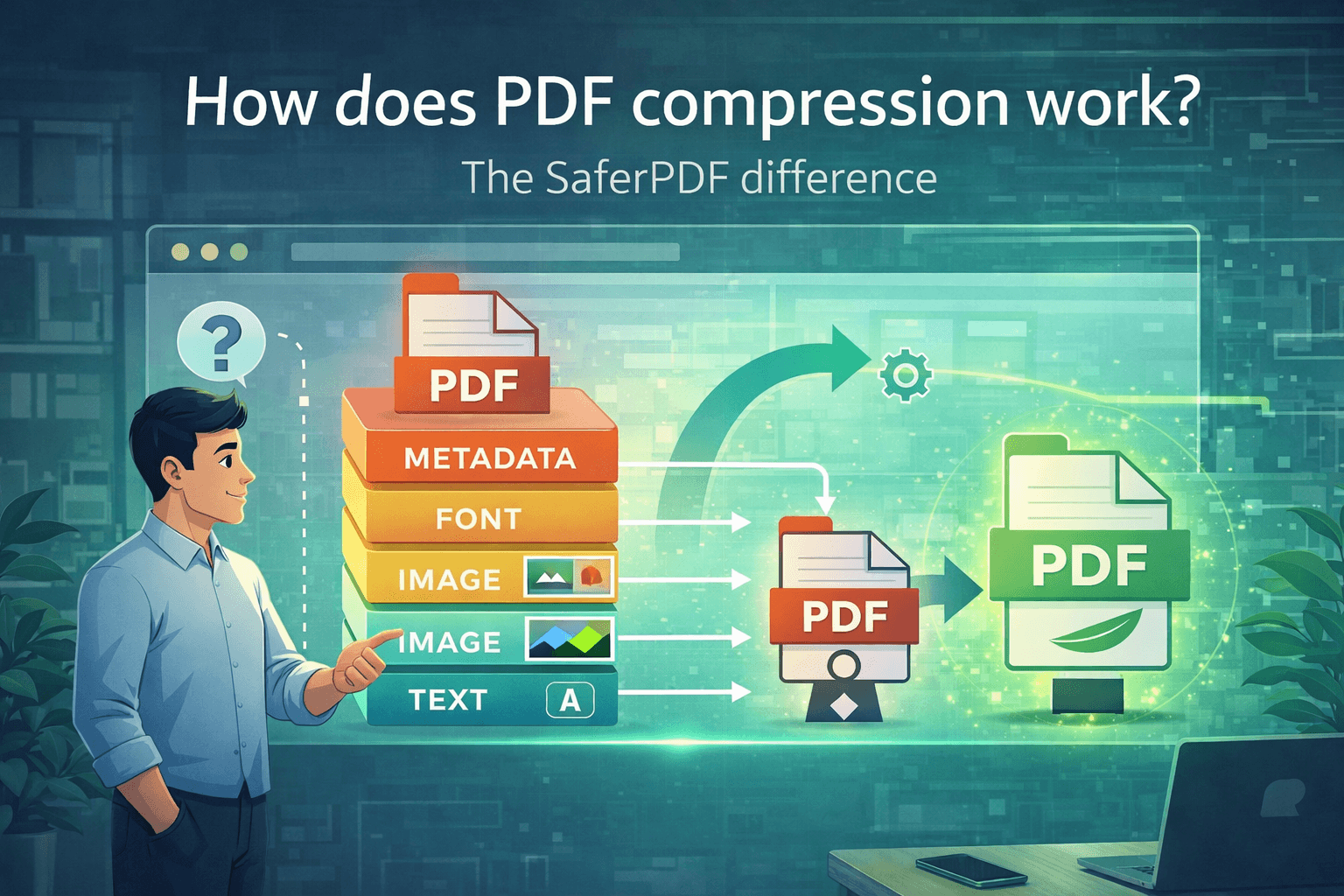
At its core, PDF compression involves removing redundant data and optimising file elements to decrease the overall size of a PDF document. This process typically targets non-essential components (don’t come for us dear designers!) such as embedded fonts, images, and metadata, without compromising the readability or integrity of the document.
How traditional PDF compressors work
Traditional PDF compressors operate by analysing the structure and content of a PDF file and applying compression algorithms to reduce its size. These algorithms can be either lossy or lossless, depending on whether they sacrifice some quality for greater compression efficiency. “Lossy? What kind of word is that?” Let us break it down for you.
Lossy compressions are also commonly known as irreversible compressions, meaning that when the algorithms go through the file and look for elements to delete to reduce the overall weight of the document, they delete parts of the original data… permanently. Lossy compression is not necessarily visible to the naked eye (unless abused) and is mostly used to compress images, video files and other media files.
Lossless compression on the other hand removes unnecessary metadata and rebuilds the original file after the process of elimination. Also known as reversible compression, this type of process is used on files that just cannot lose an ounce of their data.
The benefits of SaferPDF’s browser-side compressor
Browser-Side Compression Technology: SaferPDF stands out from the crowd with its innovative browser-side compression technology. Unlike traditional compressors that rely on external servers, SaferPDF performs compression directly within your web browser, ensuring that your sensitive documents never leave your device.
Enhanced Privacy and Security: With SaferPDF, you can rest assured that your confidential information remains secure at all times. By keeping the compression process local to your device, we eliminate the risk of data breaches or unauthorised access to your files.
No Data Storage: We take privacy seriously at SaferPDF. That’s why we never store your PDF files on our servers or any external storage systems.
Efficiency and Convenience: SaferPDF’s browser-side compressor offers unparalleled convenience without compromising on efficiency. With just a few clicks, you can quickly and securely compress PDF files directly from your web browser, saving you time and hassle.
What does compressing a PDF actually do?
In summary, when you compress a PDF, the compressor:
- Analyzes the document structure — identifies images, fonts, metadata, and text streams
- Optimizes images — recompresses them with better algorithms or reduces resolution
- Subsets fonts — keeps only the characters actually used in the document
- Removes redundant data — strips duplicate objects, unused metadata, and editing history
- Applies stream compression — uses Flate/ZIP encoding on text and vector content
The result is a file that looks the same to readers but takes up 50-90% less space. Want to understand whether PDFs are already compressed? Read our guide on whether PDFs use compression.
Experience the SaferPDF difference
SaferPDF combines all these compression techniques with a fundamentally different approach: everything runs in your browser. Your PDFs never leave your device, which eliminates the data breach risks that come with uploading files to online compressors.
Curious how we stack up against the competition? See our honest comparison of the best PDF compressors in 2026.