Best free PDF compressor in 2026: No upload, no subscription, no catch
- Laurent Meyer
- Pdf, How to
- March 15, 2026
Most “free” PDF compressors aren’t really free. They lure you in with a free tier, then lock you into a monthly subscription. Here’s what actually works in 2026 — and which tool lets you pay once and never worry about it again.
The problem with “free” PDF compressors
We tested the most popular free PDF compressors and found that most have significant restrictions:
| Tool | File Size Limit | Daily Limit | Registration | Upload Required | Pricing Model |
|---|---|---|---|---|---|
| SaferPDF | Unlimited | 10/day free | No | No | Free or one-time lifetime license |
| SmallPDF | 5MB free | 2/day | Yes (for more) | Yes | $15/mo subscription |
| ILovePDF | 25MB free | Limited | Yes (for more) | Yes | $7/mo subscription |
| Adobe Online | 100MB | 1/day free | Yes | Yes | $31.99/mo subscription |
| PDF2Go | 50MB | Limited | Yes (for more) | Yes | $29/mo subscription |
SaferPDF: A truly free PDF compressor
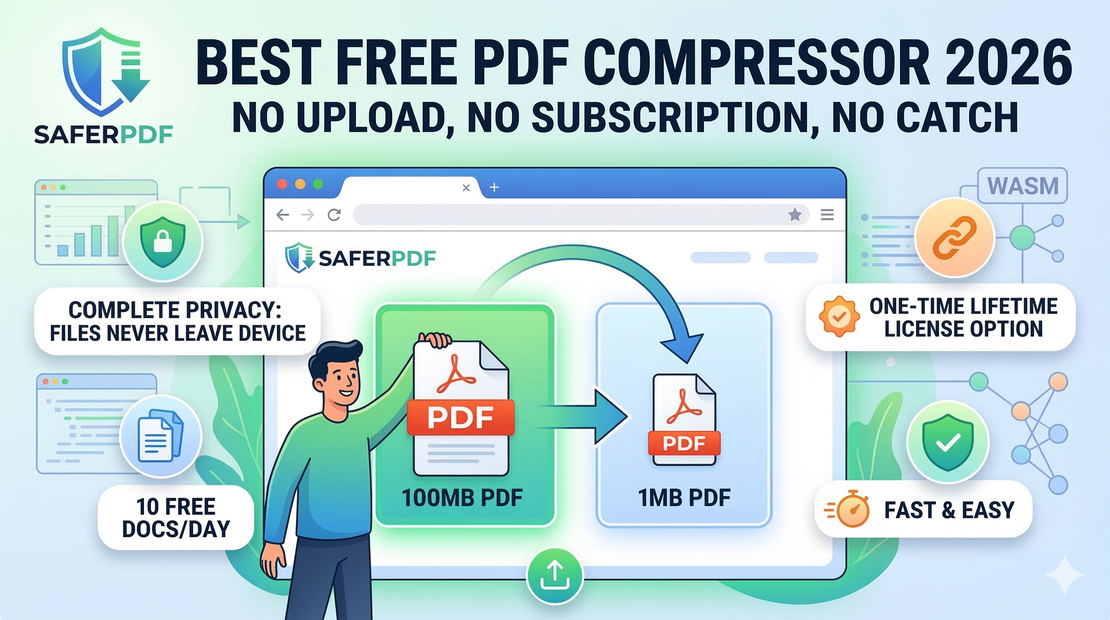
SaferPDF is different from every other PDF compressor because it runs entirely in your browser. There’s no server involved — which means:
- No file size limits — Compress 1MB or 100MB PDFs
- 10 free documents per day — Generous free tier for most users
- No registration required — Just drag, drop, and compress
- No upload — Your files never leave your device
- No watermarks — Clean output, every time
- Lifetime license available — One-time payment, no recurring fees
How is this possible?
Traditional compressors need servers to process your files, which costs money — that’s why they charge monthly subscriptions. SaferPDF uses WebAssembly (WASM) to run the compression engine directly in your browser. Your computer does the work, so there are minimal server costs — which is why SaferPDF can offer a one-time lifetime license instead of yet another monthly subscription.
How to compress a PDF for free with SaferPDF
- Go to SaferPDF.com
- Drag and drop your PDF file (or click to browse)
- Choose your compression level:
- Recommended — Best balance of size and quality
- High Quality — Minimal quality loss
- Extreme — Maximum compression
- Download your compressed file
That’s it. No account, no upload, no waiting.
Free PDF compressor comparison: SaferPDF vs the rest
SaferPDF vs SmallPDF (free tier)
SmallPDF limits free users to 2 compressions per day with a 5MB file size cap, and charges $15/month to unlock more. You also need to upload your file to SmallPDF’s servers. SaferPDF gives you 10 free documents per day with no file size limits, processes files locally, and the lifetime license is a one-time payment — not a subscription.
SaferPDF vs ILovePDF (free tier)
ILovePDF’s free tier allows limited compressions with a 25MB cap, with a $7/month subscription to unlock more. Files are uploaded to their servers and deleted after a set period. SaferPDF never touches your files — they stay on your device.
SaferPDF vs Adobe Acrobat Online (free tier)
Adobe’s free online compressor limits you to one compression per day and requires an Adobe account. Unlocking more requires a $31.99/month subscription. SaferPDF gives you 10 documents/day free, and the lifetime license is a one-time payment — less than 2 months of Adobe.
When to upgrade to SaferPDF Pro
The free tier gives you 10 documents per day — enough for most casual users. The Pro lifetime license (one-time payment) adds:
- Unlimited documents — No daily cap
- Batch processing — Compress multiple PDFs at once
- Priority support — Direct help from the SaferPDF team
Unlike every competitor that charges monthly, SaferPDF Pro is a one-time payment for lifetime access — no recurring fees, ever.
Conclusion
If you’re tired of “free” PDF compressors that aren’t really free, try SaferPDF. 10 free documents per day, no uploads, no registration — just fast, private, browser-based PDF compression. And if you need more, the lifetime license means you’ll never pay a monthly fee again.